
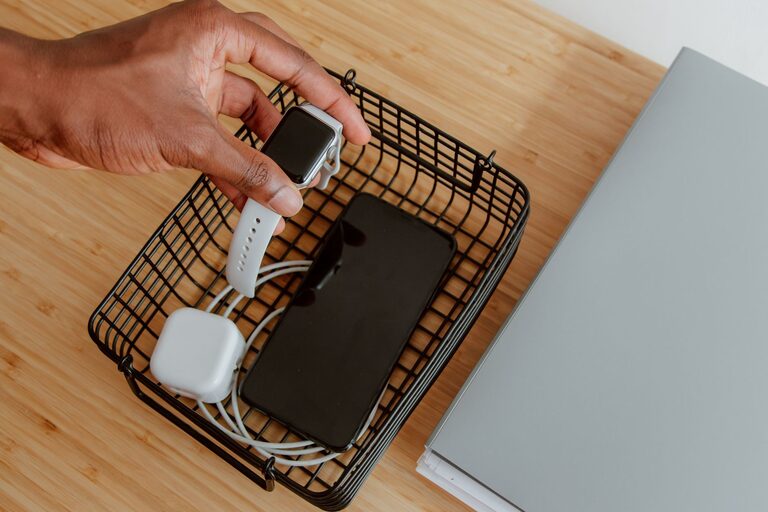
A charging station gives your devices one reliable place to power up. Instead of searching for open outlets or untangling cables, you can keep phones, tablets, watches, headphones, and other electronics together and ready to use.
The best charging station does not need to be expensive or complicated. With a suitable location, the right accessories, and a little cable management, you can create a setup that is convenient, tidy, and safe.
Choose the Right Location
Start by deciding where the charging station will be used most often. A location near an existing outlet is usually the easiest choice. Common options include:
– A hallway table near the entrance
– A nightstand or bedroom dresser
– A kitchen counter
– A home office desk
– A living room side table
– A shelf in a shared family area
Choose a location that is easy to reach but does not block walkways, doors, drawers, or work surfaces. Avoid placing the station where liquids may spill or where cables could become a tripping hazard.
If several people will use the station, choose a central location. For personal devices, a desk or bedside table may be more practical.
Decide Which Devices to Charge
Make a list of the devices you want to keep at the station. This helps you choose the proper number and type of charging ports.
Your list might include:
– Smartphones
– Tablets and e-readers
– Wireless earbuds
– Smartwatches
– Cameras
– Portable game systems
– Rechargeable batteries
– Small personal electronics
Not every device uses the same connector. Some may use USB-C, while others may use a different cable. Older devices may require a separate connector or adapter.
You do not necessarily need a dedicated cable for every device. If a device is used only occasionally, you can store its cable nearby and connect it when needed. For everyday items, keeping the correct cable permanently at the station is more convenient.
Select a Suitable Power Source
The power source is the part that supplies electricity to your chargers. Depending on your setup, you may use a wall charger, a multiport USB charger, a power strip, or a charging dock.
A multiport charger can reduce clutter because several devices can connect to one compact unit. When selecting one, consider:
– The number of ports
– The type of ports provided
– The total power output
– The size of the charger
– Safety certifications from a recognized testing organization
– Compatibility with your devices
Check the charging requirements for your devices before buying a charger. A charger should provide enough power for the devices you plan to use, especially tablets and laptops, which may require more power than small accessories.
Avoid using damaged chargers, frayed cables, loose plugs, or products from unknown sources. If a charger becomes unusually hot, makes a buzzing sound, or shows signs of damage, unplug it and replace it.
Pick a Charging Station Design
There are several ways to organize a charging station. Choose a design that matches your space and habits.
Charging Tray
A tray is a simple option for a desk, counter, or nightstand. Place the charger and cables inside the tray, then use dividers or small containers to keep devices separated.
A tray works well if you want the station to be easy to move or if you charge only a few devices.
Charging Basket
A basket can hide cables and chargers while giving the station a more decorative appearance. Choose one with openings that allow cables to pass through. A fabric or woven basket can work well in a bedroom or living room.
Make sure the basket has enough ventilation. Do not tightly pack chargers together or cover them with clothing, paper, or other materials.
Wall Mounted Shelf
A small wall shelf can save desk or counter space. It is useful in busy areas where you want devices off the main surface.
Mount the shelf securely and place it close enough to an outlet. Keep cables neat so they do not hang across a walkway.
Multi Device Dock
A charging dock provides separate slots for phones, tablets, watches, or other devices. This can be one of the neatest options, especially when several devices are charged every day.
Before purchasing a dock, confirm that it supports the connectors and device sizes you use. Some docks include built-in cables, while others require you to add your own.
Organize the Cables
Cable management makes a major difference in how the station looks and works. Begin by labeling each cable if more than one looks similar. Small labels, colored bands, or reusable cable ties can help identify them quickly.
Use the following methods to keep cables controlled:
– Secure extra cable length with reusable ties
– Use adhesive cable clips along the back of a desk
– Place a cable pass-through near the edge of a surface
– Store less frequently used cables in a labeled pouch
– Keep each cable near the device it serves
– Leave enough slack for comfortable use
Avoid tightly bending cables, especially near the connector. Sharp bends can damage the outer covering and internal wires over time.
If you use a power strip, mount it under the desk or place it behind the station where it remains accessible but out of sight. Do not overload the strip or connect several power strips together.
Add Storage for Small Accessories
Small accessories can easily become lost or mixed together. Add a few containers for items such as:
– Earbud cases
– Watch bands
– Memory cards
– Camera batteries
– Travel adapters
– Styluses
– Replacement cables
Use small trays, divided boxes, or drawer organizers. Clear containers make it easier to find items, while labeled containers work well for shared stations.
You can also create separate areas for “ready to use,” “charging,” and “needs attention.” This is especially helpful when several family members share the same station.
Follow Basic Safety Practices
A charging station should be convenient without creating unnecessary risks. Keep these safety practices in mind:
– Place chargers on a hard, stable surface
– Keep charging equipment away from water and heat
– Do not cover chargers while they are operating
– Replace damaged cords and plugs
– Keep cables away from pets and small children
– Unplug equipment that is not needed for long periods
– Use chargers designed for the devices being connected
– Check that plugs fit securely in the outlet
Avoid placing a charging station under a pillow, blanket, or pile of clothing. Devices and chargers need airflow while operating. If you charge items overnight, use reliable equipment and keep the station on an open, stable surface.
Create a Simple Routine
Even a well-designed station can become messy without a routine. Set aside a few minutes each week to return devices to their proper places, remove unused cables, and wipe away dust.
Every few months, review the station and ask:
– Are all cables still needed?
– Are any chargers damaged?
– Do new devices require different connectors?
– Is the station easy for everyone to use?
– Can any equipment be removed to save space?
A simple routine keeps the station useful and prevents cable clutter from building up again.
Final Tips for a Better Charging Station
A successful charging station should fit your daily habits. Start with the devices you use most, keep the design simple, and add storage only when you need it.
Choose a convenient location, use dependable charging equipment, and keep cables organized without restricting airflow. With these steps, you can create a charging station that saves time, reduces clutter, and helps keep your essential devices ready whenever you need them.
About the Author