
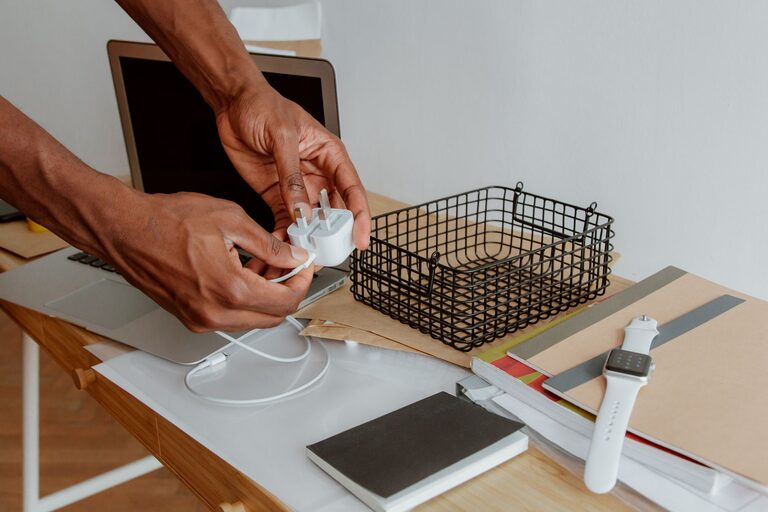
Keeping cables and chargers organized can make a room look cleaner and save time when you need to charge a device. Instead of searching through a drawer or untangling a pile of cords, you can create a simple system that keeps everything visible, accessible, and easy to maintain.
The best approach does not require expensive tools or complicated storage furniture. With a little sorting, a few organizers, and a regular reset routine, you can manage cables in nearly any room.
Start by Sorting Everything
Before buying organizers, collect all your cables, chargers, adapters, and power strips in one place. Check common storage areas, desk drawers, bedside tables, bags, and shelves.
Spread everything out and sort the items into groups, such as:
– Phone and tablet chargers
– Computer and monitor cables
– Audio and video cables
– Camera and gaming accessories
– Extension cords and power strips
– USB cables and adapters
– Cables you use regularly
– Cables you rarely use
This process helps you see what you actually own. You may find several identical cables or chargers that no longer match any device you have.
Remove Items You No Longer Need
Set aside damaged, frayed, or unreliable cables. Also separate cables for devices you no longer own. Avoid keeping every spare cord “just in case,” especially if you cannot identify its purpose.
For cables that still work but are not currently needed, create a small backup box. Clearly mark it so it does not become another mixed-up drawer.
Match Cables With Their Devices
A cable is much easier to manage when you know what it belongs to. If you have several similar-looking cords, match them with the correct device before storing them.
You can create small groups for:
– Your main phone and tablet
– Your laptop and accessories
– Your television and media devices
– Your camera or other equipment
– Guest or backup chargers
Keep frequently used chargers near the places where you use them. For example, a phone charger may belong on your bedside table, while a laptop charger can stay at your desk. This reduces the need to move cables from room to room.
Label Cables Clearly
Labels are especially helpful when several cables look alike. A small label can tell you what a cord is for without requiring a trial-and-error process.
Use one of these simple labeling options:
– Adhesive cable labels
– Small paper tags
– Colored tape
– Heat-shrink labels
– Reusable hook-and-loop tags
– A permanent marker on a plain label
Write short descriptions, such as “desk monitor,” “tablet,” “speaker,” or “travel charger.” For cables that are stored together, label the storage container instead of every individual cord.
Color coding can also help. For example, blue tags might identify computer cables, while green tags identify personal devices. Choose a system that is easy to remember and use consistently.
Use the Right Storage for Each Type
Different cable types are easier to manage with different storage methods. The goal is to prevent tangles while keeping the items easy to find.
Cable Boxes and Bins
A small box or divided bin works well for chargers, adapters, and less frequently used cables. Choose a container with sections so smaller items do not become buried.
You can use separate containers for:
– Everyday charging equipment
– Computer and office cables
– Entertainment cables
– Travel accessories
– Backup items
Add a label to the front of each container. Transparent boxes are useful because you can see what is inside without opening them.
Cable Pouches
A zippered pouch is a practical option for travel or mobile work. Look for one with elastic loops or small compartments. These features keep each cable in place and prevent adapters from knocking into one another.
Keep a travel pouch packed with the items you use most often. When it is time to leave, you can grab the pouch instead of collecting individual chargers from different rooms.
Drawer Dividers
For a desk or bedside drawer, use small dividers to create sections. Store each cable in its own compartment or group similar cables together.
Avoid filling the drawer too tightly. Leave enough space to remove one item without pulling out the entire group.
Coil Cables Without Damaging Them
A loose bundle can quickly become tangled, but wrapping cables too tightly can cause unnecessary wear. Use a gentle loop rather than folding the cord sharply.
A simple method is to:
- Straighten the cable.
- Make wide, even loops.
- Secure the loops with a hook-and-loop strap.
- Place the connector near the outside of the bundle.
- Store the cable without placing heavy items on top of it.
Reusable hook-and-loop straps are generally more convenient than plastic ties because they can be opened and reused. If a cable has a built-in strap, use it instead of adding another accessory.
For short cables, a small loop or figure-eight wrap can save space. Keep the bends relaxed, especially near the connector ends.
Tame Cables on a Desk
Desk cables are often messy because several devices share one power source. A few small adjustments can make the area look much cleaner.
Start by placing the power strip in a fixed location, such as under the desk or behind a side panel. Use a cable tray or adhesive clips to guide cords along the back edge of the desk.
Helpful desk accessories include:
– Cable clips for individual cords
– A cable sleeve for grouping several wires
– A cable tray for power strips
– Adhesive channels for hiding cords
– A grommet for routing cables through a desktop
Keep only the cables you use regularly on the desktop. Store spare cables in a labeled container instead of letting them collect near the computer.
A useful trick is to label both ends of longer cables. This makes it easier to identify which cord connects to a device and which one runs to the power source.
Organize Chargers by Location
Instead of storing every charger in one place, create small charging stations where they are needed. A charging station might be a tray, basket, or small box placed near an outlet.
Possible locations include:
– A bedside table
– A home office desk
– A living room shelf
– An entryway
– A travel bag
Use a small tray to keep charging blocks, cables, and frequently used devices together. This prevents chargers from spreading across a room and gives each item a regular home.
Make sure the charging area has enough space for devices to rest safely. Avoid piling devices on top of one another or blocking nearby outlets.
Manage Power Strips and Extension Cords
Power strips and extension cords are useful but can create large, messy loops. Store extra length in wide, loose coils and secure each coil with a reusable strap.
If a power strip stays in one place, attach it under a desk or along the side of a cabinet using an appropriate mounting solution. Keep the switch and outlets easy to reach.
Do not overload a power strip or hide it under rugs, cushions, or other materials. Keep cords away from walkways where they could become a tripping hazard. Check cords occasionally for visible damage and replace items that are no longer in good condition.
Create a Simple Maintenance Routine
Cable organization works best when it is easy to maintain. Once a month, take a few minutes to return cables to their assigned locations.
During this quick reset:
– Remove empty packaging and unnecessary accessories.
– Return loose cables to their labeled containers.
– Check whether any devices have been replaced.
– Untangle cords before storing them.
– Update labels when a cable changes location.
– Keep only useful items in your everyday charging area.
When you buy a new device, decide where its charger will live before opening the package. This small habit prevents new cables from becoming part of an unorganized pile.
Build a System That Fits Your Routine
The most effective cable organization system is one you will actually use. Keep everyday items within easy reach, store occasional-use cables in labeled containers, and remove anything that no longer serves a purpose.
You do not need to organize every cable perfectly in one day. Start with the areas you use most, such as your desk or bedside table. Once those spaces are under control, expand the same system to other rooms.
With clear labels, suitable storage, and a few simple habits, cables and chargers can stay neat, easy to find, and ready whenever you need them.
About the Author